
Free tool · VLC 3 · macOS
Folder Watch for VLC
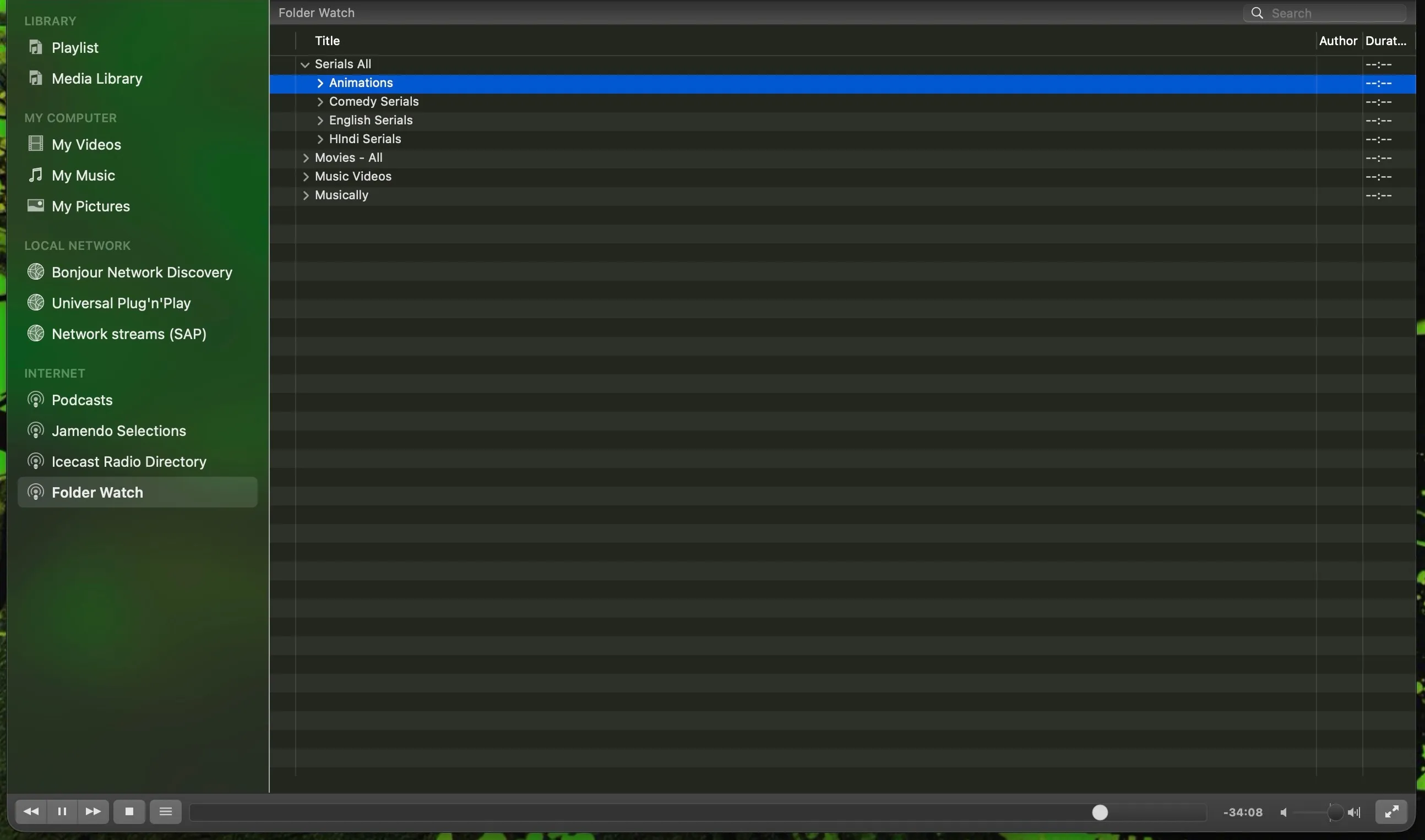
Your media folders as a tree in VLC's sidebar, kept fresh. Delete, add, rename or replace files and the tree follows within seconds.
An independent, open-source project, not affiliated with or endorsed by the VideoLAN project. VLC and VideoLAN are trademarks of VideoLAN.
Version 1.0.0 · free · MIT licence · source on GitHub
The problem it ends
VLC 3's Media Library is a snapshot. Drag a folder in and it shows what was there that day; delete an episode you have watched, drop in a new one, replace a bad file, and the sidebar still shows the old list until you drag everything in again. If you tend a large collection daily, that chore never ends. Folder Watch does it for you, every fifteen seconds, for as long as VLC is open.
What it does
| File deleted or renamed | Gone from the tree within one interval (default 15 s) |
|---|---|
| File added | Appears in the tree |
| File replaced | Re-read, so VLC picks up fresh metadata |
| Folder added, deleted or renamed | Same |
| Drive unmounted | That part of the tree is left as it was, never emptied |
| Something from a watched folder is playing | The rebuild waits until playback stops, so your video is never interrupted |
One honest limit: a rebuild collapses the folders you had expanded. VLC 3's add-on API cannot edit a sidebar tree row by row, so this is the price of freshness.
Install
- Download the release and unzip it.
- In Terminal, with VLC closed:
./install.sh --configure - Start VLC. The sidebar gains Folder Watch. Open View › Folder Watch for VLC and choose a folder.
Download from GitHub Source and issues on GitHub
Needs VLC 3.0 or newer on macOS. Windows and Linux are planned for 1.1. VLC 4 will have its own folder-watching library; this is for the VLC 3 everyone runs today.
Free, and stays free
Folder Watch is open source under the MIT licence. Bugs and ideas go to the issue tracker.